

Most SEO teams don’t struggle with data—they struggle with choosing which SEO software features actually matter for rankings. This guide cuts through feature bloat and focuses on 10 SEO software features that help you decide what to publish, what to refresh, and what to ignore.
Most teams live inside a few reports—keywords, content, SERP views, and rankings—while the rest of the stack gathers dust and renewal invoices. The real problem isn’t “not enough data.” It’s that your current setup doesn’t answer simple sequencing questions like:
-
“What should we publish next?”
-
“Which pages deserve a refresh this week?”
-
“What can we safely ignore for now?”
Instead of another “best tools” list, this guide treats tools as decision engines and shows how to choose what to publish, what to update, and when to wait.
Table of Contents
Why your SEO stack feels bloated (and what to do instead)
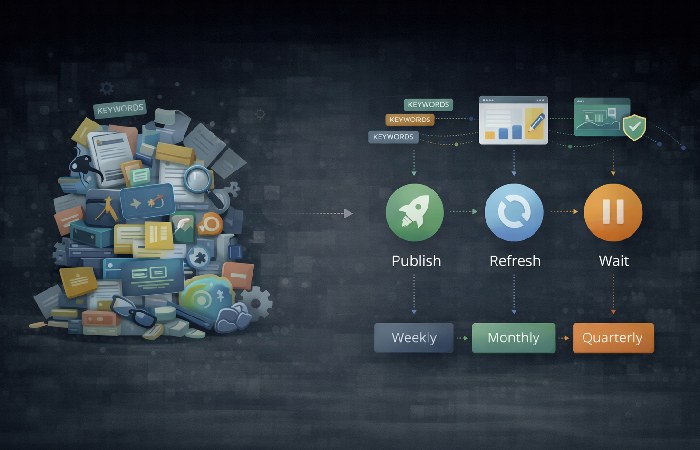
SEO stacks feel bloated because teams accumulate tools and dashboards but still lack clarity on which SEO software features actually drive weekly results. Instead of adding more tools, you need a lean set of features that clearly tell you what to publish next, which pages to refresh, and which technical issues to fix now versus later.
Over time, most teams bolt on tools for every new need: a crawler here, a rank tracker there, an AI brief writer, a dashboard layer. The result is an expensive collection of logins where you use maybe 20–30% of what you’re paying for and still feel behind on planning and reporting.
Just like you’d tighten up a modern internet security guide to remove outdated tools and risky gaps, your SEO stack needs pruning so every feature has a clear job. The fix is not adding yet another tool; it’s ruthlessly prioritizing features that support your weekly work: content roadmapping, refresh cycles, technical health, and stakeholder updates.
Rule of thumb: if a feature doesn’t clearly support a weekly decision—publish, refresh, or fix—it’s optional, not core. In this guide, we’ll walk through the 10 SEO software features that actually move rankings, show the decisions each feature supports, and give you practical examples of how to use them in your weekly sprints.
10 SEO Software Features That Matter Most
These are the features that actually move rankings, traffic, and pipeline by guiding what to publish, what to refresh, and when to wait:
- Keyword research and topic discovery
- Content analysis and on-page optimization
- SERP and competitor overlays
- Rank tracking with intent-aware segmentation
- Technical auditing and change tracking
- Reporting and decision dashboards
- Alerts and anomaly detection
- Local and entity SEO support
- Integrations and data sync
- Backlink and authority context
We’ll map each one to the core decisions it supports, and how to think about tool choice without getting lost in feature catalogs.
1. Keyword research: how to decide what to publish next
The ranking problem: Guessing what to publish next leads to scattered content, unrealistic keywords, and wasted effort on topics you’ll never rank for.
Keyword research should do more than give you a list of keywords—it should tell you exactly what topics to publish next to win realistic rankings and revenue. When you use SEO software features like keyword clustering, difficulty, traffic potential, and gaps together, you get a clear, defensible content roadmap instead of random blog ideas. The gap is connecting keywords to business value and competitive odds—at the topic level, not one query at a time.
High‑ROI keyword research capabilities:
-
Clustering and parent topics so you plan around problems, not isolated phrases
-
Volume, difficulty, and traffic potential in one view, balanced with business fit
-
Competitor coverage to see who owns which topic and how entrenched they are
AI-powered gap & topic discovery
More advanced platforms add AI‑driven topic and gap analysis. Instead of only listing keywords, they surface subtopics, questions, and related concepts that top‑ranking pages cover. This helps you build complete topic clusters so you’re not just ranking for one keyword—you’re building topical authority across an entire theme.
Some platforms use AI to surface missing subtopics, questions, and related entities across top-ranking pages, helping teams plan complete topic clusters instead of isolated keywords.
Actionable takeaway:
-
Identify your top 3–5 competitors.
-
Run keyword and topic gap analysis to find queries and subtopics they rank for and you don’t.
-
Group those into 10–20 topic clusters for the next quarter, with one “pillar” and several supporting pieces for each.
Use this feature to answer:
-
“What should we publish in the next 30–90 days?”
-
“Which topics are realistic wins given our current authority?”
Used well, these keyword research features shift your roadmap toward topics you can realistically rank for in the next 30–90 days, instead of chasing high‑volume terms you’re unlikely to win.
Decision this feature supports: Decide exactly what to publish in the next 30–90 days so you’re targeting topics you can realistically rank for.
2. Content analysis: how to choose which pages to refresh
The ranking problem: Many sites are full of “almost there” pages sitting on page 2 or the bottom of page 1, leaving easy gains on the table.
Content analysis is where SEO software features turn “almost ranking” pages into real traffic winners. Instead of guessing what to tweak, you use term coverage, structure checks, and live performance data to decide which URLs to refresh this sprint and what to change on each page to move it up a bracket.
Helpful content analysis features:
-
Term coverage and topical gaps versus the live SERP
-
Structural checks (headers, depth, internal linking, readability) benchmarked against competitors
-
Performance overlays from Google Search Console (queries, CTR, average position) to ground edits in real demand
On-page content grading: force Google to choose you
The best SEO platforms include content editors or optimizers that grade your page against top‑ranking results. They analyze on‑page signals—keyword and entity usage, semantic terms, structure, and readability—and suggest specific improvements (for example, add missing entities, expand a subtopic, improve headings). By following these recommendations, you systematically make your page more relevant and comprehensive than competitors.
Many tools now use AI to suggest missing entities, restructured sections, or rewritten passages based on what consistently appears in top results.
Internal link analysis: sculpt your site’s authority
Internal link features show which pages have the most internal “link equity” and which key URLs are under‑linked. Adding contextual internal links from strong pages to your “money” or priority pages is a powerful, controllable way to direct authority and help those pages climb the SERP.
Actionable takeaway:
-
Pull pages ranking in positions 5–20 for important queries.
-
Run them through your content optimizer and internal link analysis.
-
Implement the highest‑impact recommendations (missing terms, section improvements, stronger internal links) and re‑submit for crawling.
Use this feature to answer:
-
“Which 5–10 URLs should we refresh this sprint?”
-
“What exactly should we change on each page to move it up a bracket?”
Focused refreshes guided by content analysis often deliver faster ranking lifts than new content, because you’re improving pages that already have impressions, clicks, and partial relevance in Google’s eyes.
Decision this feature supports: Choose which pages to refresh this sprint and what to change so “almost there” URLs move into top‑of‑page positions.
3. SERP overlays: how to choose the right content format
The ranking problem: Even great content fails if it shows up in the wrong format—and ignoring SERP features means leaving clicks on the table.
SERP overlays are the SEO software feature that turns raw keywords into concrete content formats that can actually rank. By looking at live SERPs, result types, and competitor angles, you can see whether Google rewards deep guides, quick comparisons, or product‑led pages for each query—and shape your content accordingly.
Critical SERP overlay elements:
-
Live SERP snapshots with clear result types (guides, tools, product/category pages, videos, AI overviews, comparison pages)
-
Competitor profiling at query level—who ranks, how strong they are, and what angle they use
-
Topic‑level visibility and share of voice
SERP feature tracking: dominate the whole page
Modern SERPs are full of rich features: Featured Snippets, People Also Ask, image packs, local packs, and more. Good tools show which features appear for each keyword and whether you own them. Optimizing a page to capture a Featured Snippet (for example, by adding a concise answer block or FAQ) can let you leapfrog traditional rankings and own the most visible position on the page.
Actionable takeaway:
-
Track your top keywords for SERP features.
-
Find queries where you rank in the top 5 but don’t own the snippet or other features.
-
Adjust those pages with clear, snippet‑friendly answers, structured headings, and schema where appropriate.
For example, many SEO platforms show whether Featured Snippets, People Also Ask, video results, or other rich elements dominate a query before you create content.
Use this feature to answer:
-
“Do we need a product page, comparison page, or deep guide here?”
-
“Can we reasonably break into the top 3, or should we target a neighboring topic first?”
Aligning your content format to what the SERP clearly favors increases your odds of entering the top 3, while the wrong format often stalls on page two or worse.
Decision this feature supports: Pick the right content format and angle for each query so your pages match real search intent and can break into the top results.
4. Rank tracking: how to spot gains, drops, and trends that matter
A single “we’re #7” snapshot doesn’t tell you whether you’re improving, slipping, or winning where it matters (device, location, segment).
Rank tracking is most valuable when it shows trends across clusters and connects ranking changes to content updates or releases. It becomes powerful when it lets you:
-
Segment keywords by topic cluster, funnel stage, or intent
-
Track daily or flexible windows for volatile SERPs
-
Overlay changes (content edits, releases, campaigns) with ranking and click trends
Granular tracking: where rankings actually matter
Modern rank trackers let you break results down by country, city, device, and sometimes search engine. Seeing that you’re #3 on mobile in your key market but #15 globally helps you prioritize where to optimize and how to measure success. This protects you from chasing vanity averages that don’t reflect your real audience.
Actionable takeaway:
-
For your most important keywords, always filter tracking by your primary country/region and device.
-
Monitor clusters, not just single terms, and annotate major content and technical changes in your tracking tool.
Use this feature to answer:
-
“Which pages or clusters are slipping and need investigation?”
-
“Which themes are responding well to our last sprint’s work?”
Spotting slipping clusters early lets you fix issues before you lose top‑of‑page positions and the clicks that come with them.
Decision this feature supports: Spot which pages or topic clusters are gaining or slipping so you know where to double down and where to investigate.
5. Technical audits: how to prioritize fixes that unblock growth
Google can’t rank what it can’t properly crawl, index, or render—and poor UX can hold you back even with great content.
Technical audits surface crawl, indexation, and performance issues that can block organic growth if left unresolved. High‑value technical audit capabilities include:
-
Clear crawlability and indexation reports tied to estimated business impact
-
Historical change logs (templates, internal links, status codes, redirects) to connect issues to events
-
Integration with Core Web Vitals and GSC coverage so devs see both problem and impact in one place
Core Web Vitals monitoring: win with experience
SEO tools that surface Core Web Vitals (LCP, INP, CLS) at the page level show you which URLs fail UX thresholds and why. Recommendations like “compress this image,” “defer this script,” or “reduce layout shifts” turn abstract scores into concrete tasks that improve load time and stability—both ranking and conversion factors, in line with how Google describes Core Web Vitals and page experience.
Advanced: log file analysis
Log file analysis shows how Googlebot actually crawls your site—how often, which paths, and how much budget gets wasted on low‑value pages. Identifying high‑crawl‑frequency, low‑value URLs (like internal search results) and noindexing them can free crawl budget for the pages that matter.
Actionable takeaway:
-
Run a full crawl monthly and after major releases.
-
Prioritize fixes that unblock crawling/indexing for important pages and improve Core Web Vitals on your worst 10–20% URLs first.
-
Use log insights (if available) to cut crawl waste and focus bots on high‑value content.
Use this feature to answer:
-
“Is a technical issue behind this traffic drop or rank wobble?”
-
“Which fixes will materially unblock organic growth in the next few sprints?”
Fixing crawl, indexation, and UX issues can unlock rankings for pages that were effectively invisible or held back by poor performance.
Decision this feature supports: Prioritize the technical fixes that will actually unblock crawling, indexing, and rankings in the next few sprints.
6. Reporting dashboards: how to explain SEO impact to stakeholders
Stakeholders see charts but still don’t know if SEO is working or what you’ll do next.
SEO reporting should summarize outcomes, context, and next actions rather than overwhelming stakeholders with raw metrics. Effective reporting usually looks like:
-
One primary dashboard that ties rankings, traffic, and conversions to a handful of initiatives
-
Annotations and narrative (new content, refreshes, releases, experiments) so lines on a chart have context
-
Views tailored for different audiences: leadership, product, content, paid
The goal isn’t to impress with complexity, but to make “what happened” and “what we’ll do next” obvious in one glance.
Use this feature to answer:
-
“What actually happened this month or quarter?”
-
“Which bets are paying off, and which do we pause or pivot?”
Clear, outcome‑focused reporting keeps high‑impact SEO work funded and prevents promising initiatives from being paused before rankings have time to compound.
Decision this feature supports: Decide how to communicate SEO performance and next steps so stakeholders stay aligned and support your roadmap.
7. Alerts and monitoring: how to know when to investigate immediately
You can’t sit in dashboards all day, but missing a big drop can cost months of traffic.
SEO alerts act as an early warning system by flagging meaningful changes that require investigation or action. Useful alert capabilities:
-
Threshold‑based alerts on rank changes, traffic drops, and critical technical problems
-
Group‑based alerts (clusters, segments, or key revenue pages) rather than noisy single keywords
-
Sensitivity controls so minor fluctuations don’t trigger panic
Even simple email alerts can flag issues before they turn into full‑blown post‑mortems. Start with a few high‑signal alerts—for branded queries, money pages, or key clusters—instead of turning everything on at once.
Use this feature to answer:
-
“Do we need to stop and investigate something today?”
Early detection of sharp drops or anomalies helps you act before small issues snowball into long‑term ranking and revenue losses.
Decision this feature supports: Know exactly when to stop and investigate an issue before it turns into a major traffic or revenue problem.
8. Local and entity SEO: how to focus on the locations that matter
Generic rankings hide the fact that you may be winning in one city and invisible in another.
Local and entity SEO tools help teams understand how visibility and performance vary by geography or location. Helpful local and entity‑oriented features:
-
Local rank tracking for map pack, localized SERPs, and location‑specific queries
-
Listings and NAP management to keep name, address, and phone consistent across platforms
-
Location‑level performance reporting to see which markets are over‑ or under‑performing
For some brands, tools like Yext or local modules in suites streamline multi‑location management. For others, lightweight local tracking plus disciplined Google Business Profile management is enough.
Use this feature to answer:
-
“Which locations are losing visibility, and why?”
-
“Where should we prioritize local content, reviews, or listing fixes?”
Focusing on underperforming locations and entities can quickly lift map pack and local SERP visibility, driving more qualified visits and leads in your key markets.
Decision this feature supports: Decide which locations, markets, or entities need focused SEO effort to win visibility where it matters most.
9. Integrations and data sync: how to prove SEO impact across teams
If SEO lives in its own reporting silo, it’s easy to cut when budgets tighten.
SEO integrations connect rankings and traffic data to leads, revenue, and execution across teams. When SEO data flows into the same systems stakeholders already use, it stops being an isolated channel and becomes part of how decisions are made.
This is similar to how enterprise search software connects information across systems so teams can quickly find what they need without jumping between tools.
-
Analytics and CRM to track SEO‑driven sessions, leads, and revenue
-
BI tools (Looker Studio, Power BI, Tableau) for cross‑channel views
-
Project management tools (Jira, Asana, ClickUp) for pushing prioritized SEO tasks into existing workflows
When integrations are done right, the whole business sees SEO data where they already work, instead of in a separate “SEO‑only” universe.
Use this feature to answer:
-
“Can we prove SEO’s impact without rebuilding reports from scratch every month?”
Connecting SEO data to analytics, CRM, and revenue dashboards proves impact clearly, which makes it easier to secure buy‑in and resources for the work that drives rankings.
Decision this feature supports: Prove SEO’s impact across teams and channels without rebuilding reports from scratch every month.
10. Authority and backlinks: how to judge what you can realistically win
Ignoring authority leads teams to chase keywords they simply can’t win in the short term.
Authority metrics help teams judge which topics are realistic to win based on link strength and competitive context. Backlink and authority features that matter:
-
Domain‑ and URL‑level authority measures to understand your competitive ceiling
-
Competitor link gap views that show where they’re earning links you don’t have
-
Trend lines for link acquisition and loss across key content clusters
Competitor backlink analysis: blueprint for authority
Instead of guessing where to get links, you can inspect the backlink profiles powering competitors’ rankings. Strong tools highlight their top referring domains and most authoritative links. This becomes a prospect list and content idea source: you can see which assets attracted links (guides, tools, data studies) and build something better or more targeted.
Actionable takeaway:
-
Pick a competitor that ranks above you for a key topic.
-
Export their top 10–20 referring domains.
-
Reach out with a stronger, more relevant resource or angle, and build your own authority for that topic.
Use this feature to answer:
-
“Are we realistically in the game for this topic without additional links?”
-
“Where should we focus link‑building or digital PR efforts?”
Choosing winnable topics and pairing them with targeted link building helps you climb competitive SERPs faster instead of stalling on ambitious, unwinnable keywords.
Decision this feature supports: Judge whether a topic needs link building or a longer timeline, and where to focus your authority‑building efforts next.
How often should each SEO feature be used?
SEO software features only move rankings when you use them at the right cadence. Use this as a starting point and adjust based on your team and market.
Feature → decision → cadence table
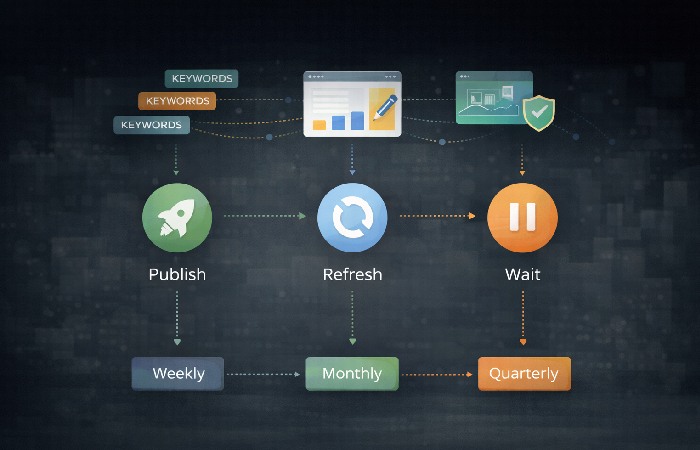
You can use this as a quick cheat sheet when designing workflows and choosing tools:
Cadences listed are starting points—adjust based on team size, publishing volume, and competitive intensity.”.
| Feature | Key decision it supports | Typical cadence |
| Keyword research | What to publish next | Monthly / quarterly |
| Content analysis | Which pages to refresh and how | Every sprint (2–4 weeks) |
| SERP overlays | Which format/angle to use for each query | Before briefs & refreshes |
| Rank tracking | Which clusters are gaining or slipping | Weekly |
| Technical auditing | Which issues to fix first | Monthly + after releases |
| Reporting & dashboards | How to communicate results and next steps | Monthly / quarterly |
| Alerts | Whether to stop and investigate right now | Continuous |
| Local/entity SEO | Which locations/entities need attention | Monthly |
| Integrations & data sync | How to prove impact and reduce manual work | Setup + quarterly review |
| Backlink & authority context | Where authority limits or unlocks opportunities | Monthly / quarterly |
You don’t need one “perfect” platform—you need a stack that covers the SEO software features you’ll actually use every week. Use the table below to see which tools emphasize which features, then design a lean stack around your real workflows. If you also want to compare pricing and user reviews, a neutral SEO software directory can be a useful cross‑check alongside this feature view.
How leading tools stack up on these features
You don’t need one “perfect” platform—you need a stack that covers the SEO software features you’ll actually use every week. Use your comparison table or evaluations to see which tools emphasize which features, then design a lean stack around your real workflows.
| Tool | Keyword research | Content insights | SERP/competitors | Rank tracking | Tech audits | Reporting & dashboards | Local SEO focus | Backlinks/authority |
| Semrush | Strong | Strong | Strong | Strong | Strong | Strong | Moderate | Strong |
| Ahrefs | Strong | Moderate | Strong | Moderate | Strong | Moderate | Limited | Very strong |
| Google Search Console | Limited (queries) | Moderate | Limited | Moderate | Strong | Moderate | Limited | None |
| Conductor | Strong | Strong | Strong | Strong | Strong | Strong | Moderate | Moderate |
| BrightEdge | Strong | Strong | Strong | Strong | Strong | Strong | Moderate | Moderate |
| SE Ranking | Strong | Strong | Moderate | Strong | Strong | Strong | Strong | Moderate |
| Wincher | Moderate | Moderate | Moderate | Very strong | Moderate | Moderate | Limited | Moderate |
| Yext (local) | Limited | Limited | Limited | Limited | Limited | Moderate | Very strong | Limited |
Note: Feature strength and availability vary by tool and subscription tier and may change over time. This table is a high-level overview, not an endorsement or a guarantee of specific features. Always review the latest plan details on each provider’s site before choosing or upgrading your SEO software.
This isn’t about picking a single “winner.
Instead, use this to design a stack that covers the 10 features you actually use week in, week out.
Example: a simple feature‑led workflow
Here’s how these SEO software features can work together in a single content sprint:
-
Plan topics (keyword research + SERP overlays)
Identify 3–5 topic clusters with realistic difficulty and clear business value. Check SERPs to decide whether each needs a guide, a comparison, or a product‑led page. -
Shape briefs (content analysis + SERP)
For new pages, reverse‑engineer what top results cover and where they’re thin. For refreshes, run existing URLs through content analysis to find missing entities and subtopics. -
Publish and monitor (rank tracking + alerts)
Track newly published and refreshed pages as a segment. Set alerts for sharp drops or unexpected gains so you can respond quickly. -
Review and refine (reporting + integrations)
At month’s end, review how those pages moved in rankings, clicks, and conversions. Push the next set of tasks (more refreshes, new topics, technical fixes) into your project tool.
This is where the stack stops being a collection of dashboards and starts behaving like a feedback loop.
Final thought
You don’t need more SEO tools; you need to use the right SEO software features consistently. When your stack clearly tells you what to publish, what to refresh, and what to fix—and you act on that every sprint—rankings and traffic follow.
What questions do teams commonly ask about SEO software features?
Teams most often ask which features matter, how often to use them, and how many tools are actually needed.
What are the most important features in SEO software today?
The most important SEO software features are those used weekly to guide decisions, including keyword research, content analysis, SERP insights, rank tracking, technical audits, reporting, alerts, integrations, and backlink context. Features that do not support regular decisions tend to add complexity without clear ROI.
Which SEO software features should content teams prioritize?
Content teams should prioritize features that support topic selection, content creation, and updates, such as keyword clustering, content analysis, SERP intent overlays, and rank trend tracking. These features help teams decide what to publish, what to refresh, and how to improve existing pages efficiently.
How many SEO tools do you really need?
Most teams can achieve strong SEO results with one core all-in-one platform supplemented by a few specialized tools for crawling, backlinks, or local SEO. If a tool does not support a recurring workflow or decision, it is usually a candidate for consolidation or removal.
Which SEO features help most with AI Overviews and rich results?
SEO features that surface SERP layouts, entities, schema opportunities, and content types are most helpful for AI Overviews and rich results. SERP overlays, schema-aware audits, and content analysis tools that evaluate topical depth and entity coverage are especially valuable.
How often should I rely on audits and rank tracking?
For most teams, rank tracking and content performance checks are weekly, technical audits are monthly and after major releases, and roadmap-level keyword research is monthly or quarterly. Consistent cadence matters more than reacting only when issues appear.
How This Guide Was Created
This guide reflects the author’s perspective on the topic.
It was created using publicly available information, documented best practices, and qualitative patterns observed across industry discussions and user feedback. AI assistance was used to help research, structure, and refine the draft, followed by manual editing for clarity, accuracy, and coherence. No tool or brand paid to be included.
Disclosure: This content follows our site-wide editorial and disclosure policy.
Author BIO:
Abdul Rahman is a content strategist who creates clear, well-structured content using AI-assisted workflows, with a focus on practical and cost-efficient approaches.