
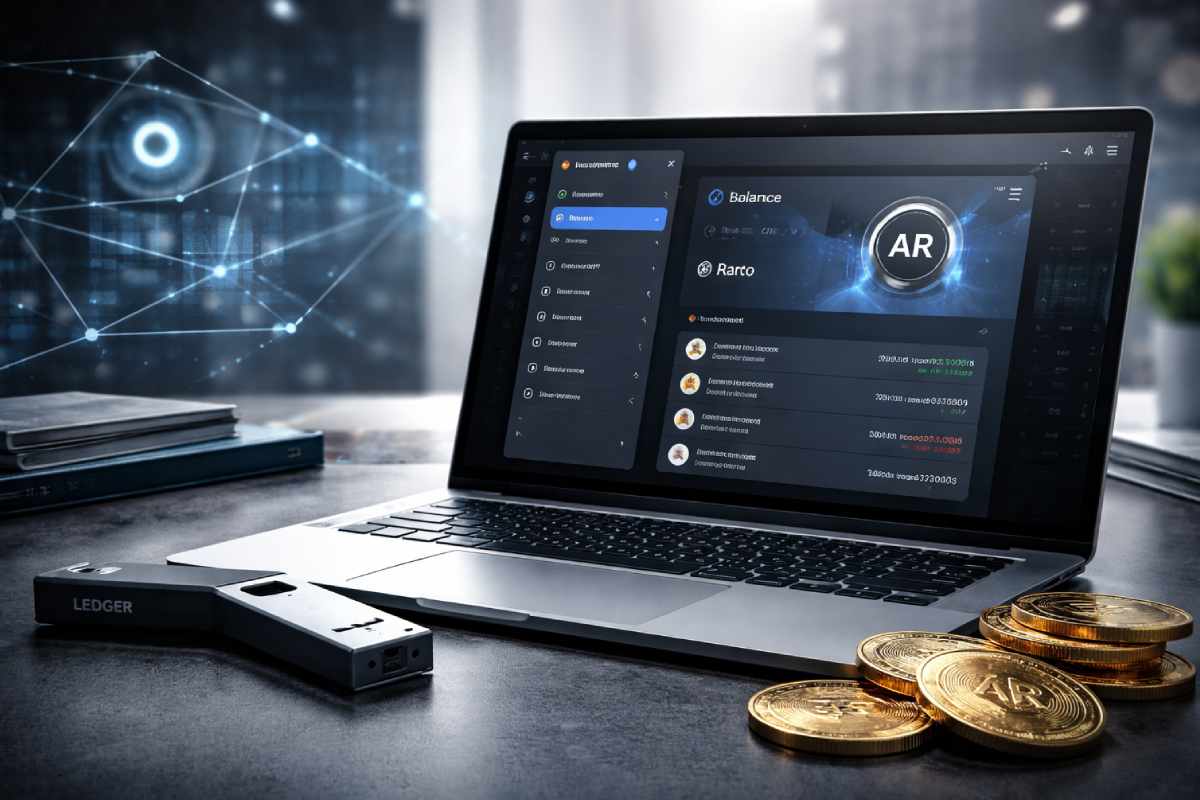

Most people approach an AR wallet the same way they approach a Bitcoin wallet. That’s the first mistake.
Arweave wallets work differently — they use a keyfile (a downloadable JSON file) instead of a simple seed phrase. Lose that file, and there’s no recovery option. No support desk. No “forgot my password.” The funds are gone.
If you’re looking to store, use, or understand AR tokens, this guide covers everything: what an AR wallet actually is, how it works under the hood, which wallets are worth using, and how to stay safe.
In this guide, “AR wallet” refers specifically to wallets for Arweave’s AR token, not augmented reality payment apps or interfaces.
Table of Contents
Quick Summary
- What is an AR wallet? → A non-custodial crypto wallet for managing Arweave (AR) tokens on the Arweave blockchain
- Best option for most users? → ArConnect (now Wander) browser extension + mobile app
- Is it safe? → Yes — if you back up your keyfile and passphrase securely
- What’s a keyfile? → A JSON file serving as your private key; losing it means permanent loss of funds
- Does Ledger support AR? → Yes — Ledger Nano S Plus natively supports Arweave, and Nano X support is rolling out via the Arweave app and third‑party integrations.
What Is an AR Wallet?

An AR wallet is a non-custodial cryptocurrency wallet designed to store, send, and receive Arweave’s native token, AR. It also lets you interact with the permaweb — a permanent, decentralized version of the internet built on the Arweave blockchain, where apps and data are stored forever for a one-time fee.
Unlike custodial wallets (where an exchange holds your keys), AR wallets put full control in your hands. Only you hold your keyfile and passphrase. That’s both the power and the risk.
How Arweave Wallets Differ from Other Crypto Wallets
Arweave instead generates a 4096‑bit RSA key pair stored as a JSON Web Key (JWK) file — this keyfile is your wallet and contains the private key that signs transactions. Some wallets also give you a paired passphrase or mnemonic, but the keyfile is what ultimately grants access to your funds.
This approach is more secure against brute-force attacks than shorter seed phrases — but it also means the backup process is less forgiving.
The Role of AR Tokens in the Arweave Ecosystem
AR tokens serve two purposes:
- Paying for permanent storage — when you upload data to Arweave, you pay a one-time fee in AR. A portion goes to miners; the rest funds a storage endowment, a pool designed to pay miners forever.
- Ecosystem participation — AR is used across Arweave-based dApps, NFT platforms, and the AO Computer ecosystem (Arweave’s decentralized compute layer).
According to Arweave’s official documentation, the storage endowment model is engineered to make data permanence financially sustainable long-term without recurring fees.
How an AR Wallet Works
The Keyfile Model Explained
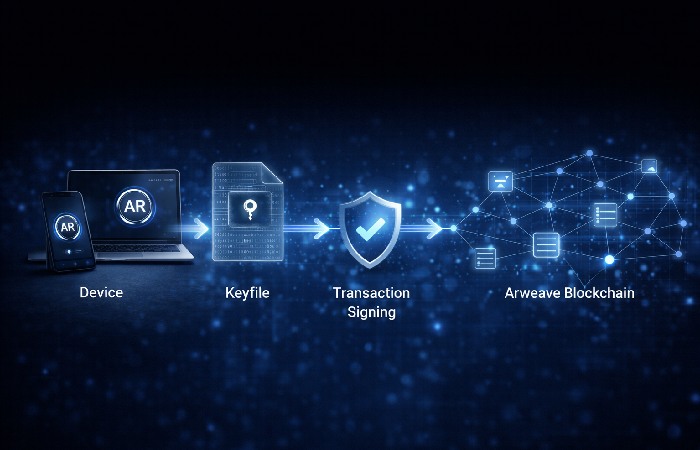
When you create an AR wallet, the system generates a unique 4096‑bit RSA‑PSS cryptographic key pair. The private key is stored in a JSON Web Key (JWK) file — your keyfile — and the wallet address is derived from the SHA‑256 hash of the public key. This file:
- Proves you own the wallet address
- Signs every transaction you make
- Cannot be regenerated if lost
You can interact with the Arweave network by importing this keyfile into any compatible wallet app. Think of it as a physical safe key: whoever holds it, controls the funds.
Passphrase vs. Keyfile — What’s the Difference?
| Keyfile | Passphrase | |
|---|---|---|
| Format | JSON file (downloadable) | 12-word mnemonic phrase |
| Primary function | Signs transactions directly | Recovers or generates the keyfile |
| Risk if lost | Permanent fund loss | Permanent fund loss |
| Easier to back up | Offline USB / encrypted drive | Written on paper |
Some wallets like arweave.app give both. Others like ArConnect prioritize keyfile backup. Always back up both if you receive both.
Best AR Wallets Compared (2026)
| Wallet | Type | Best For | dApp Support | Mobile | Hardware Support |
|---|---|---|---|---|---|
| ArConnect (Wander) | Browser ext. + Mobile | DApp users, everyday use | ✅ Full | ✅ Yes | ❌ No |
| arweave.app | Web-based | Beginners, cold storage | ✅ Basic | ✅ Browser | ✅ Via Ledger |
| Ledger Nano X / S Plus | Hardware | Maximum security, HODLers | ⚠️ Limited | ❌ No | ✅ Native |
| Atomic Wallet | Desktop/Mobile | Multichain users | ❌ Limited | ✅ Yes | ❌ No |
| Klever Wallet | Mobile | Mobile-first AR users | ⚠️ Partial | ✅ Yes | ❌ No |
ArConnect (Wander) — Best for DApp Users and Everyday Use
ArConnect, now rebranded as Wander, is the most full‑featured AR wallet for the Arweave and AO ecosystems.
Available as a Chrome/Firefox extension and a mobile app, it acts as a gateway to the Arweave and AO Computer ecosystems.
Key features:
- Non-custodial (your keys, your AR)
- Per-app permissions — control exactly what each dApp can access
- NFT/collectibles display built in
- Real-time on-chain transaction history
- Biometric authentication on mobile
Best for: Active Arweave users, NFT collectors, developers building on Arweave/AO.
Download and explore ArConnect at ArConnect’s official site.
arweave.app — Best for Beginners and Cold Storage
arweave.app is a community-developed, open-source web wallet. It’s the simplest starting point for new users and also supports an unusual feature: turning an offline device into a cold storage hardware wallet by generating your keyfile while disconnected from the internet.
Key features:
- No installation required (browser-based)
- Cold wallet generation for offline security
- Clean, minimalist interface
- Ledger integration supported
Best for: First-time AR wallet users, security-conscious HODLers, developers who want offline key generation.
Ledger Hardware Wallet — Best for Maximum Security
For large amounts of AR, a hardware wallet is the gold standard. Ledger currently supports Arweave via the official Arweave app on the Nano S Plus, with Nano X support available or rolling out through the same app and third‑party wallet integrations like arweave.app.
Your private keys never leave the device. Even if your computer is compromised, your AR stays safe.
Note: Ledger doesn’t support all Arweave dApps natively — you’ll need to connect via arweave.app for most interactions. See Ledger’s Arweave security guide for setup steps.
Best for: Long-term AR holders, security-first users, people with significant AR holdings.
Atomic Wallet & Klever — Best Multichain Options
If you hold AR alongside Bitcoin, Ethereum, and other tokens, Atomic Wallet and Klever offer multichain management. Both support AR but lack deep Arweave dApp integration. Good as secondary wallets — not primary Arweave interfaces.
How to Set Up an AR Wallet (Step by Step)
Setting Up ArConnect (Browser Extension)
- Visit arconnect.io and install the Chrome or Firefox extension
- Click “New Wallet” in the extension popup
- Create a strong password (used to unlock the extension locally)
- Write down your seed phrase on paper — do not screenshot or store digitally
- Download your keyfile (JSON file) — save copies to at least 2 offline locations (USB drives recommended)
- Confirm your seed phrase to complete setup
- Your wallet address is now active — fund it by buying AR on Binance, Coinbase, or another exchange
Critical: Do not store your keyfile or seed phrase in cloud storage, email, or notes apps.
Creating a Wallet on arweave.app
- Open your browser and go to
https://arweave.app - Click “Create new wallet”
- Save the 12-word passphrase — write it on paper immediately
- Click “Download” to save your keyfile JSON file
- Store keyfile copies on multiple offline USB drives
- Click through to your wallet dashboard
For cold storage, disconnect from the internet before step 2, then complete the process offline.
How to Keep Your AR Wallet Secure
Do:
- Store your keyfile on 2+ encrypted, offline USB drives
- Write your passphrase on paper and keep it in a fireproof location
- Use a hardware wallet (Ledger) for holdings above $1,000 in value
- Enable biometric authentication on ArConnect mobile
- Verify the ArConnect extension ID matches the official Chrome Store listing before installing
Don’t:
- Store your keyfile in Google Drive, Dropbox, or iCloud
- Screenshot your passphrase or seed phrase
- Share your keyfile with any website or dApp
- Use ArConnect on a device you share with others
Phishing awareness: Always access arweave.app via the direct URL typed into your browser. Bookmark it. Never click links from emails or social media claiming to be Arweave wallet sites.
Common Mistakes to Avoid
1. Not backing up the keyfile before using the wallet
Many users fund their wallet, use it for weeks, then realize they never saved the keyfile. If the device fails, the funds are gone.
2. Storing the keyfile digitally
Cloud storage and email are not safe. Any breach of those services exposes your keyfile.
3. Assuming the passphrase alone is enough
Some users write down the passphrase but forget to download the keyfile — or vice versa. You may need both depending on your wallet recovery scenario.
4. Using an unofficial ArConnect extension
There are fake extensions mimicking ArConnect. Always install from arconnect.io or verify the official Chrome Store extension ID.
5. Confusing an AR wallet address with an Ethereum address
AR addresses look different from ETH/BTC addresses. Sending AR to an Ethereum address means permanent loss.
Who Should Use an AR Wallet (And Who Shouldn’t)
Best for:
- Anyone buying, holding, or trading AR tokens
- Developers building on the Arweave or AO Computer ecosystem
- NFT creators and collectors on Arweave platforms
- Users who want to upload data permanently to the permaweb
- Anyone searching for “AR wallet” in a crypto context, where the term almost always means an Arweave wallet, not an augmented reality payment app
- Web3 users who interact with Arweave-based dApps
Not ideal for:
- Users who only want a wallet for Bitcoin, Ethereum, or other non-Arweave assets (use MetaMask or Trust Wallet instead)
- Complete crypto beginners who aren’t ready for self-custody responsibility
- Users opposed to managing and securing their own keyfile
Final Verdict
An AR wallet is your gateway to the Arweave ecosystem — permanent storage, decentralized apps, NFT platforms, and the AO compute layer. But unlike most crypto wallets, the keyfile model means the security responsibility falls entirely on you.
For most users: Start with ArConnect. It’s feature-rich, actively maintained, and the de facto standard for Arweave and AO dApp interaction.
For large holders: Pair ArConnect with a Ledger hardware wallet for long-term storage.
For beginners: Use arweave.app for your first wallet setup — it’s simple, browser-based, and supports cold storage.
The technology is solid. The ecosystem is growing. Just make sure you back up that keyfile before you do anything else.
Frequently Asked Questions
Q: What is an AR wallet in simple terms?
A: An AR wallet is a non-custodial cryptocurrency wallet for storing and managing Arweave (AR) tokens. It also lets you interact with decentralized apps and permanent storage services on the Arweave network. Unlike exchange accounts, you — not a company — hold your private keys.
Q: Is ArConnect safe to use?
A: Yes, ArConnect is a non-custodial, open-source wallet — your keys never leave your device. The main risks are phishing (fake extensions) and losing your keyfile. Download only from arconnect.io and back up your keyfile offline.
Q: What happens if I lose my AR wallet keyfile?
A: If you lose your keyfile and don’t have a passphrase backup, your AR tokens are permanently inaccessible. There is no customer support or recovery option. This is why offline backups on USB drives are essential before funding your wallet.
Q: Can I use a Ledger hardware wallet with Arweave?
A: Yes. Ledger Nano S Plus and Nano X support Arweave. Install the Arweave app on your Ledger device and connect to arweave.app. Note that most Arweave dApps don’t directly support Ledger without this bridge step.
Q: What is the difference between arweave.app and ArConnect?
A: arweave.app is a web-based wallet — no installation required, and it’s ideal for beginners and cold storage. ArConnect is a browser extension and mobile app with deeper dApp integration, per-app permissions, and NFT support. Most active Arweave users prefer ArConnect for daily use.
Q: How do I get AR tokens into my wallet?
A: Buy AR on a major exchange like Binance, Coinbase, or Kraken. Then withdraw to your AR wallet address (which you’ll find in ArConnect or arweave.app). Always double-check the address before sending — Arweave transactions are irreversible.
About Globalmarketingguide
Globalmarketingguide publishes practical, easy-to-understand content on health, technology, business, marketing, and lifestyle. Articles are based mainly on reputable, publicly available information, with AI tools used only to help research, organise, and explain topics more clearly so the focus stays on real‑world usefulness rather than jargon or unnecessary complexity.
Disclaimer
This guide is for general information only and is not financial, investment, tax, or legal advice. Crypto assets like Arweave (AR) are volatile and carry a risk of loss. Always do your own research, consider your risk tolerance, and consult a qualified professional if needed. Wallets and services mentioned are examples, not endorsements, and you are fully responsible for securing your keys, keyfiles, and recovery phrases.